Custom Alerts
Send custom alerts directly to the site so they surface both on the player profile and inside the global alerts feed.
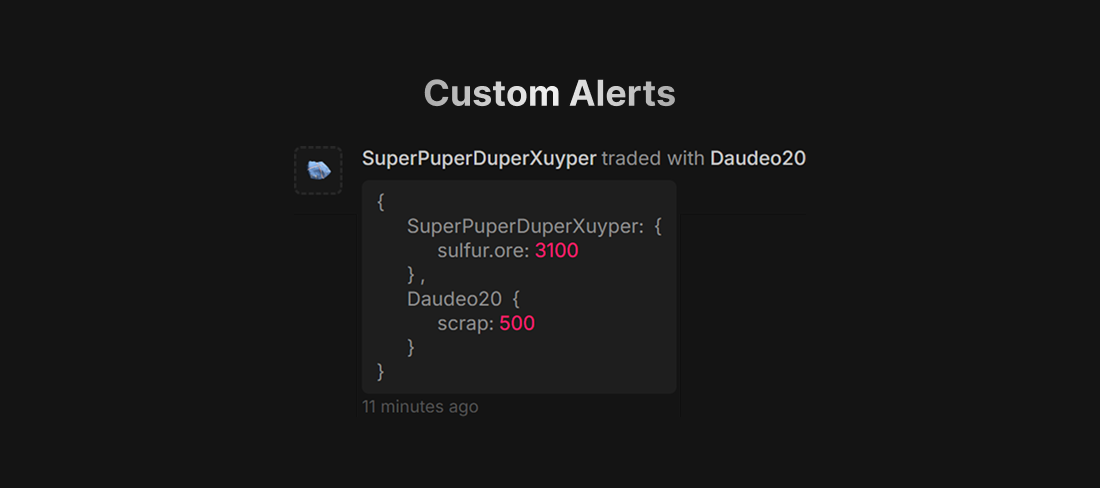
Developer Reference
c#
plugins.Find("RustApp")?.Call("RA_CreateAlert", Plugin original, string message, object? data, object? meta)string message – any free-form text. object? data – payload (max 512 characters once serialized) that becomes available behind the Show data button, e.g. new { foo = "bar" }. object? meta – optional display overrides.
c#
interface CustomAlertMeta {
    // URL to an image used as the alert icon
    string custom_icon = null;
    // Label used for filtering in the UI
    string name = "";
    // Explicit SteamIDs to bind this alert to; defaults to IDs parsed from the message
    List<string> custom_links = null;
}
Heads-up
⚠️ When a SteamID appears in message, it is automatically replaced with the player name and becomes clickable, e.g. "alert for 76561198111100111" becomes "alert for playername".